Conference App Features: The Only Checklist You Need for 2026
Attendees increasingly expect schedules, maps and session details on their phones, and organizers are under pressure to deliver them reliably. This checklist covers the conference app features that matter for academic and professional meetings.
Reviewed by the NeucitePress Editorial Board — PhD academics, peer-reviewed journal editors and medical communication specialists.
Last updated: October 2026 • Reviewed by the NeucitePress Editorial Board • Reading time: 16 minutes
Managing multiple aspects simultaneously while meeting rising digital demands creates significant complexity. The right technological tools reduce that load.
This comprehensive guide serves as your definitive resource for 2026 planning. It covers essential functionality, compliance requirements, and data analytics. Our approach addresses both participant-facing elements and backend management systems. These digital hubs transform how planners, attendees, and sponsors interact in real time. For broader context on digital solutions, explore our guide to tools and platforms for hosting virtual and hybrid.
Key Takeaways
- Attendees expect schedules and session information on their phones
- Digital tools address the complexity of managing multiple event aspects simultaneously
- Comprehensive planning covers both attendee-facing features and backend management systems
- Real-time interaction between planners, participants, and sponsors enhances engagement
- Proper technological solutions provide valuable data for post-event analysis
- 2026 planning requires attention to compliance requirements and mobile optimization
- Digital hubs transform traditional event management into streamlined processes
Introduction: Embracing the Digital Shift in Conference Planning
Planners face overwhelming administrative burdens when coordinating multiple aspects simultaneously.
Addressing Organizer Pain Points
Traditional methods using spreadsheets and printouts create significant complexity. Juggling separate tools for scheduling, communications, and attendance tracking becomes unsustainable.
Modern digital platforms consolidate disparate planning tasks into one integrated system. This transformation addresses the fundamental high-wire act of event management. The shift represents more than technological adoption—it’s a strategic necessity.
How Mobile Apps Elevate the Attendee Experience
Today’s tech-savvy participants expect personalized, accessible information delivery. Printed programs and manual processes no longer meet professional standards. Digital tools create seamless experiences that benefit all stakeholders.
The dual benefit proposition is clear: these solutions streamline backend management while dramatically improving participant engagement. Real-time interaction between planners, attendees, and sponsors creates a unified ecosystem. This approach ensures valuable data collection for post-event analysis.
| Aspect | Traditional Methods | Digital Solutions |
|---|---|---|
| Schedule Management | Static printed programs | Real-time updates and changes |
| Communication | Email blasts and announcements | Targeted push notifications |
| Attendance Tracking | Manual check-in sheets | Automated scanning and analytics |
| Sponsor Value | Limited visibility metrics | Comprehensive engagement data |
The transition to digital-first approaches positions events for success in 2026 and beyond. This evolution addresses both operational efficiency and participant satisfaction simultaneously.
Essential Conference App Features Checklist
The core utility of a mobile event app extends far beyond simple agenda viewing and venue maps. We provide a definitive list to guide your selection process.
Every digital platform must include foundational features. These are interactive schedules, speaker profiles, and detailed session information.
Superior tools offer advanced capabilities. Offline functionality ensures access without internet. Real-time push notifications keep all participants informed.
Seamless integration is non-negotiable. Platforms must connect with registration systems and analytics tools. This creates a unified data ecosystem.
Enhance the experience for every attendee. Personalized agenda building and reminder alerts are crucial. Planner-focused dashboards enable real-time adjustments.
| Feature Category | Must-Have Essentials | Nice-to-Have Enhancements |
|---|---|---|
| Core Functionality | Agenda, Maps, Speaker Bios | Multi-Event Support, Gamification |
| User Experience | Personalized Schedule, Bookmarks | AI Recommendations, Social Feeds |
| Planner Tools | Content CMS, Attendance Tracking | Advanced Analytics, Lead Retrieval |
| Technical Specs | Push Notifications, Basic Integrations | Full API Access, Location Beacons |
This framework helps prioritize requirements based on your specific event scope and budget. It ensures a robust technological foundation for your gathering.
Demystifying CME Accreditation and Compliance Standards
Continuing Medical Education accreditation demands meticulous documentation that digital platforms can streamline. We clarify how technological solutions support ACCME requirements while maintaining operational efficiency.
Navigating HIPAA and Sponsor Requirements
Healthcare gatherings face unique regulatory obligations. HIPAA applies to covered entities and their business associates, so it matters if the app will handle protected health information on behalf of such an organisation. Ordinary registration data is usually not protected health information.
If a pharmaceutical or device company sponsors the programme, check the sponsor’s own code of conduct and the rules in your country before agreeing how the app displays sponsor content.
Whatever the regulation, choose an app that supports encryption in transit, role-based access controls and a clear data-processing agreement.
Incorporating ACCME, PCMA, and MPI Guidelines
Accredited CME providers must be able to document participation for credit. Ask your accredited provider which attendance and assessment records it needs, and check that the app can export them.
PCMA and MPI are professional associations for event planners. Their educational resources can help, but they are not accrediting bodies.
Automated systems create clear audit trails. This simplifies compliance rather than complicating it for all attendees.
Professional Disclaimer: While we offer guidance on compliance considerations, organizations should consult legal counsel to ensure their specific implementation meets all regulatory requirements. Proper planning transforms compliance from administrative burden to strategic advantage.
Measuring Event Success
Decide what to measure before the event and set your own baselines in the first edition. Published averages vary too much between disciplines and formats to be a reliable target.
Metrics Worth Tracking
Track registration completion, app adoption among registrants, session check-in against room capacity and survey response rates. Real-time check-in data helps organizers allocate resources dynamically during the event.
Tracking metrics over time reveals trends that justify technology investments. For comprehensive analytics to measure success, establish baseline measurements during initial implementation.
Streamlining Venue Contracts and Adapting to Hybrid Technologies
Technical specifications within venue agreements form the foundation for successful digital integration. We demystify the contractual process by focusing on infrastructure essentials that support unified participant experiences.
Integrating Tech Requirements for In-Person and Virtual Components
Modern platforms bridge physical and digital participation modes seamlessly. These tools create single communities where all participants interact regardless of location.
Venue selection requires evaluating technical capabilities against platform needs. Ask coordinators about network capacity, backup systems, and support availability during gatherings.
Specific requirements must be incorporated into agreements. Adequate bandwidth for simultaneous users ensures smooth functionality. Reliable connectivity throughout all spaces maintains engagement.
| Contract Element | Traditional Focus | Modern Requirement |
|---|---|---|
| Network Infrastructure | Basic guest Wi-Fi | Dedicated event bandwidth |
| Power Access | General outlets | Strategic charging stations |
| Technical Support | Limited availability | Dedicated on-site staff |
| Backup Systems | Often unspecified | Redundant connectivity |
Addressing these requirements upfront saves significant time during execution. It prevents last-minute discoveries of inadequate infrastructure that compromise participant experience.
Digital platforms reduce dependency on venue-provided services. This creates negotiating leverage by eliminating printed materials and physical signage needs.
Seamless Registration and Check-In Integration
The first impression attendees receive sets the tone for their entire event experience. We prioritize streamlined arrival processes that demonstrate organizational competence.
Modern platforms eliminate duplicate data entry by syncing registration systems directly with participant management tools. This integration ensures information flows automatically from initial sign-up through final attendance tracking.
Leveraging Automated Badge Scanning and Self-Service Check-In
QR code technology transforms traditional arrival procedures. Teams can verify participant identity within seconds using any smartphone or tablet device. This approach replaces time-consuming manual searches through printed lists.
Many platforms support automatic badge scanning that logs attendance data. Organizers gain immediate visibility into arrival patterns and session participation.
Self-service kiosks empower attendees to scan their registration codes independently. This reduces queue times significantly while freeing staff for hospitality duties.
| Process Aspect | Traditional Method | Modern Solution |
|---|---|---|
| Data Entry | Manual duplication | Automatic synchronization |
| Verification Speed | Searching a printed list | Scanning a code |
| Hardware Requirements | Specialized equipment | Standard mobile devices |
| Data Availability | End-of-day reports | Real-time analytics |
These technological advances create professional arrival experiences that respect participants’ time. The system provides reliable data for informed decision-making throughout the gathering.
Real-Time Updates: Scheduling, Push Notifications, and Alerts
Immediate communication capabilities transform how organizers manage dynamic event schedules. We establish these real-time updates as among the most valuable digital platform capabilities. They enable instant communication of changes to all attendees simultaneously.
A clear technical distinction exists between delivery methods. Push notifications appear instantly on locked screens as alerts. In-app updates reflect changes when users open the platform.
Each method serves distinct communication needs. Push alerts excel for urgent schedule changes or spontaneous announcements. In-app modifications work well for routine information refreshes.
Timely notifications significantly improve participant experience. Well-timed alerts help attendees reach the right session in the right room.
| Notification Type | Description | Best Use Cases |
|---|---|---|
| Push Alerts | Instant messages delivered to locked screens | Schedule changes, urgent announcements, session reminders |
| In-App Updates | Changes visible when platform is opened | Speaker bio edits, room assignment modifications, general info |
Personalization prevents notification fatigue. Systems can target specific attendee segments rather than broadcasting all messages. This approach ensures relevance while maintaining engagement.
Best practices balance frequency and value. Excessive alerts lead users to disable notifications. Strategic timing keeps attendees informed without overwhelming them.
These capabilities reduce confusion by ensuring everyone receives accurate information simultaneously. They eliminate the frustration of arriving at cancelled sessions or incorrect locations.
Personalized Agendas and On-Demand Content Access
The ability to customize individual agendas represents a significant advancement in attendee-centered event design. Digital platforms transform generic schedules into tailored learning experiences.
Creating Custom Itineraries for Each Attendee
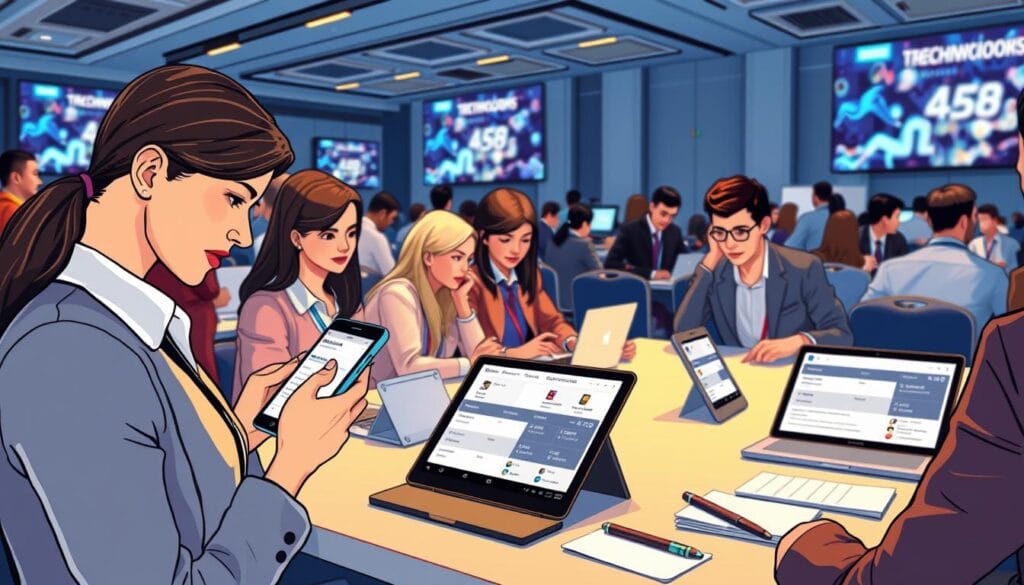
Personalization features empower users to bookmark specific sessions aligned with their professional interests. The system then compiles these selections into unique daily schedules.
Integrated reminder alerts prevent participants from missing crucial educational opportunities. This approach eliminates information overload at multi-track gatherings.
On-demand content access provides immediate availability of presentation slides and research materials. Attendees can review complex information before sessions or revisit content afterward.
Advanced platforms incorporate AI-driven recommendations based on user profiles and behavior patterns. These systems suggest relevant sessions and networking opportunities.
| Aspect | Traditional Approach | Personalized Solution |
|---|---|---|
| Schedule Navigation | Static printed program | Custom interactive itinerary |
| Content Access | Post-event materials | Real-time availability |
| Session Planning | Manual selection | AI-powered suggestions |
| Note Organization | Separate notebooks | Integrated digital system |
These capabilities create comprehensive learning repositories that enhance preparation and post-event reference. Organizers gain valuable insights into participant preferences and session popularity.
Boosting Engagement Through Networking and Gamification
Modern event technology directly addresses the universal attendee desire for meaningful professional connections. We leverage digital platforms to transform networking from a chance encounter into a structured, accessible process. These tools create built-in social networks that facilitate interaction before, during, and after the gathering.
Searchable participant directories allow individuals to find others with shared interests. Direct messaging lowers barriers for introverts by enabling introductions before in-person meetings. This approach makes connecting significantly more comfortable for all participants.
Digital business card exchange replaces outdated paper swaps. A simple tap shares contact information instantly. This data syncs directly to CRM systems, ensuring valuable connections are preserved.
Event-wide activity feeds function like localized social networks. Attendees post insights, photos, and questions. Others can like, comment, and share, creating ongoing discussions that extend beyond scheduled sessions.
| Aspect | Traditional Networking | Digital Solution |
|---|---|---|
| Initial Contact | Chance encounters | Targeted searches and messages |
| Information Exchange | Physical business cards | Instant digital sharing |
| Conversation Scope | Private discussions | Public activity feeds |
Gamification strategies further boost attendee engagement. Points, badges, and leaderboards reward activities like session attendance and sponsor visits. Scavenger hunts drive traffic, while networking challenges encourage new connections.
These mechanics tap into competitive instincts and intrinsic motivation. They increase participation in activities that might otherwise be overlooked. This provides sponsors with valuable metrics and attendees with added entertainment.
Networking and gamification features work synergistically. Game mechanics encourage networking behaviors. Social feeds amplify participation, creating a virtuous cycle of attendee engagement that benefits all stakeholders.
Optimizing Event Communication via Email, Push, and Social Media
Effective communication strategies form the backbone of successful participant engagement at any professional gathering. We advocate for a unified approach that seamlessly integrates multiple channels. This method ensures messages reach attendees through their preferred mediums at optimal times.
Push notifications serve as an immediate public address system in every participant’s pocket. They deliver time-sensitive information instantly, regardless of location within the venue. This capability dramatically outperforms traditional announcement methods that many attendees miss.
Email remains vital for pre-event reminders and detailed information. Reserve push alerts for real-time updates and urgent announcements during the gathering itself. This strategic division prevents communication fatigue among your attendees.
Social integration allows participants to share content directly through the platform. They can post insights and photos without switching to separate applications. This reduced friction significantly increases social sharing rates and event visibility.
| Communication Channel | Primary Function | Best Practice |
|---|---|---|
| Push Notifications | Instant, urgent alerts | Use for schedule changes and session reminders |
| Detailed pre- and post-event information | Segment lists for personalized content delivery | |
| In-App Social Feed | Community engagement and content sharing | Encourage speaker and sponsor participation |
Personalization is crucial for modern communication. Digital tools enable segmented messaging for specific attendee groups or tracks. This approach delivers relevant information while maintaining appropriate boundaries.
Analytics track open rates and engagement across all channels. These data-driven insights help optimize future communication strategies. Consistent messaging and branding across every touchpoint reinforce your event‘s professional identity.
Choosing an App: Evaluation Checklist
Score each vendor against the same criteria so that no critical functionality is overlooked during selection.
| Evaluation Aspect | Traditional Approach | Modern Framework |
|---|---|---|
| Platform Assessment | Subjective vendor claims | Standardized scoring system |
| Implementation Timeline | Ad-hoc task management | Milestone-driven workflow |
| Budget Planning | Estimates without detail | Line-item cost breakdown |
| Communication Strategy | Reactive messaging | Pre-planned campaign calendar |
Build a simple weighted scoring sheet from the feature checklist above, and add rows for cost, integration with your registration system and vendor support during the event.
Visual Planning Tools: Gantt Charts, Infographics, and Comparison Tables
Gantt charts and infographics provide planners with immediate visual comprehension of multi-faceted implementation timelines. These tools transform complex data into accessible formats that serve diverse learning preferences.
Visual interfaces enhance communication across stakeholder groups. Executives appreciate high-level summaries while implementation teams require detailed specifications.
| Visual Tool Type | Primary Application | Key Benefits |
|---|---|---|
| Gantt Charts | Implementation Timeline Visualization | Shows parallel tracks and dependencies |
| Comparison Tables | Vendor Assessment | Side-by-side feature evaluation |
| Budget Infographics | Financial Planning | Breaks costs into visual categories |
| Feature Matrices | Platform Selection | Shows capability availability across tiers |
A Gantt chart of the implementation process, from vendor selection through post-event analysis, should show parallel tracks for content development, testing and promotion.
A comparison table of competing platforms should cover pricing model, integration capabilities and support.
A budget breakdown should separate platform licensing, customization development and ongoing support.
These visual tools make complex information more accessible to all stakeholders. They support informed decision-making through clear graphical representations.
Integrating Data Analytics for Real-Time Insights and Metrics
Data-driven decision making becomes possible when organizers leverage the comprehensive analytics capabilities of modern event platforms. These systems capture every interaction and engagement pattern throughout the entire gathering lifecycle.
Real-time dashboards provide immediate visibility into participant behavior and session dynamics. Organizers can monitor attendance trends as they unfold, enabling proactive adjustments to programming and resource allocation.
Measuring Conversion Rates and Session Attendance
Advanced platforms track conversion metrics that measure how effectively digital tools drive desired behaviors. These include registration completion rates, session attendance percentages, and sponsor engagement levels.
Automated check-in systems deliver accurate, real-time data on session popularity and room capacity. This information helps organizers identify which topics resonate most strongly with specific attendee segments.
| Metric Category | Key Performance Indicators | Real-Time Application |
|---|---|---|
| Attendance Analytics | Session check-in rates, room capacity alerts | Crowd management and resource allocation |
| Engagement Metrics | Content downloads, networking connections | Program optimization and future planning |
| Conversion Tracking | Registration completion, survey participation | ROI measurement and strategy validation |
Post-event analysis aggregates platform data into comprehensive reports showing usage statistics and engagement benchmarks. This evidence-based approach justifies technology investments and guides future planning decisions.
Implementation Tips
Promote the app early and explain its benefits in your pre-event emails, because adoption depends on attendees knowing it exists. Test thoroughly before launch, and start with core functionality such as agenda, maps and notifications rather than extensive customization.
Real-time polling and Q&A features add interaction to sessions, but only if speakers are briefed to use them. When comparing vendors, evaluate integration capabilities and on-site support as carefully as the feature list.
Mobile Optimization: Creating a User-Friendly Experience for Every Device
Contemporary participants expect seamless digital experiences across their personal devices regardless of operating system or screen size. We establish mobile optimization as a fundamental requirement rather than optional enhancement for modern gatherings.
Responsive design principles ensure the mobile app automatically adapts to various device types. This approach maintains full functionality and intuitive interface regardless of screen dimensions or orientation.
User experience considerations include touch-friendly button sizing and thumb-zone navigation placement. Minimal text input requirements and offline functionality accommodate spotty venue Wi-Fi without degrading the experience.
Accessibility features leverage built-in phone capabilities like screen readers and font size adjustments. High-contrast modes and zoom functionality ensure inclusive access for all attendees with varying needs.
| Optimization Aspect | Technical Requirement | User Benefit |
|---|---|---|
| Responsive Design | Adapts to all screen sizes | Consistent experience across devices |
| Performance | Fast load times, efficient battery usage | Prevents frustration during heavy use |
| Accessibility | Screen reader compatibility, voice control | Inclusive access for all users |
| Cross-Platform | Native iOS/Android versions | Familiar feel for each ecosystem |
Technical performance optimization includes fast load times and efficient battery usage. Smooth scrolling prevents user frustration particularly important during multi-day events.
Thorough testing across diverse devices and network conditions identifies potential issues. This proactive approach prevents problems that could undermine adoption among attendees.
Mobile-optimized solutions meet users where they are literally throughout the gathering. Convenient access supports engagement whether participants are in sessions or reviewing content afterward.
Conclusion
Today’s sophisticated digital solutions represent a paradigm shift in how professional gatherings are planned and experienced. These platforms have evolved from optional enhancements to essential infrastructure that delivers measurable value.
Mobile technology streamlines organizer workflows while improving the attendee experience.
Looking toward 2026, emerging capabilities will create even more opportunities for innovation. Thoughtful implementation using our comprehensive planning framework ensures maximum benefits.
Organizers who embrace this technology will deliver superior experiences that meet rising attendee expectations while achieving measurable objectives.
FAQ
What are the most critical features for a modern event app?
The most critical features focus on enhancing the attendee experience through real-time updates, personalized agendas, and seamless networking. Essential elements include push notifications for urgent alerts, interactive maps for venue navigation, and a robust platform for accessing on-demand content. These tools ensure users have all necessary information at their fingertips.
How can an app improve networking opportunities at an event?
A well-designed app fosters engagement by enabling users to create detailed profiles, send direct messages, and schedule meetings. Features like attendee lists with searchable filters and gamification strategies encourage interaction. This transforms the event experience into a dynamic environment for building professional connections.
What data can organizers collect through a mobile app?
Organizers gain valuable insights into attendee behavior, including session attendance rates, popular content, and engagement levels with various features. This data helps measure event success and informs future planning. Real-time analytics allow for immediate adjustments to improve the overall experience.
How important are push notifications for attendee engagement?
Push notifications are vital for delivering time-sensitive information, such as schedule changes or speaker updates, directly to a user’s device. When used strategically, they significantly boost engagement by keeping attendees informed and involved. However, overuse can lead to notification fatigue, so a balanced approach is key.
Can event apps support hybrid or virtual experiences?
Absolutely. Modern platforms are designed to integrate seamlessly with hybrid technologies, providing a unified experience for both in-person and remote participants. Features like live streaming links, virtual networking lounges, and digital Q&A sessions ensure all attendees have equal access to content and networking opportunities.
What should we consider for the user interface design?
The user interface must be intuitive and easy to navigate on any device. A clean design with a logical flow, quick access to schedules and maps, and a personalized home screen enhances usability. Prioritizing a user-friendly experience from the start is crucial for high adoption rates and positive feedback.

NeucitePress services for conference organizers
Website, registration, abstracts and programme handled by one team, or run on our platform.
Conference website, online registration, abstract management for up to 75 abstracts, programme development and one day of on-site coordination.
Website, registration, abstract management for up to 150 abstracts, multi-session programme and a two-day on-site team with a dedicated event manager.
Submissions and peer review, conference website, programme and registration in one workspace for your committee. Pilot access: event activation is agreed with our team.