Conference Live Streaming: Complete Technical Setup Guide
The digital transformation of academic gatherings has revolutionized how researchers share knowledge globally. Current data reveals that 80% of audiences prefer live video content over traditional written formats, while 82% favor dynamic video streams over static social media posts.
Reviewed by the NeucitePress Editorial Board — PhD academics, peer-reviewed journal editors and medical communication specialists.
This shift toward virtual participation eliminates geographical constraints, enabling worldwide scholarly engagement without travel requirements. However, many organizers face significant technical challenges when planning their broadcasts.
We understand the complexities involved in producing professional-quality academic broadcasts. Common concerns include technical requirements, budget limitations, compliance standards, and equipment selection uncertainties.
This comprehensive resource addresses these challenges systematically. We provide authoritative, data-driven guidance for successful virtual knowledge dissemination. Our approach combines technical specifications with strategic planning considerations.
The material covers essential preparation stages, technical equipment details, platform evaluation criteria, and audience engagement optimization. We focus on practical solutions suitable for various academic gathering types and expertise levels.
Key Takeaways
- Live video content is preferred by 80% of audiences over written blogs
- Virtual events remove geographical barriers to global participation
- Technical complexity remains a primary concern for organizers
- Comprehensive planning ensures professional broadcast quality
- Solutions must accommodate varying budgets and technical expertise
- Strategic considerations complement technical requirements
- Proper setup enables effective post-event content utilization
Opening Hook: Capturing Audience Attention with Compelling Statistics
The economic and strategic rationale for integrating broadcast technology into academic programs is now undeniable. We observe a dramatic pivot in audience preferences. A 2024 Vimeo report confirms that over 80% of viewers choose real-time video over static articles.
This preference translates into tangible financial benefits. Virtual ticket sales open new revenue streams. Sponsor exposure multiplies with a global online audience. The cost per attendee often decreases significantly compared to physical-only gatherings.
Organizers face critical challenges. Venue capacity limits growth. Rising travel expenses deter in-person participation. Offering a digital option has become a competitive necessity.
“Hybrid event models saw a 127% adoption increase among professional associations in 2023.”
The strategic imperative is clear. Digital broadcasts expand reach exponentially. Recorded sessions extend content value long after the event concludes. This approach improves accessibility and delivers a stronger return on investment.
We base these insights on credible industry analysis and peer-reviewed studies. This evidence foundation supports the practical technical guidance we provide next.
Understanding the Essentials of Virtual Conference Streaming
Successful remote participation in scholarly events requires understanding fundamental streaming mechanics. We define this process as real-time transmission to internet-connected devices worldwide. This differs significantly from pre-recorded webinars or on-demand content.
The technical architecture comprises four essential components working together. Content capture devices include cameras and microphones gathering raw footage. Encoding tools convert this material into streamable formats.
Distribution occurs through specialized platforms that manage viewer access. Final playback happens on audience devices like computers and smartphones. These elements create a seamless viewing experience when properly coordinated.
Streaming quality depends on multiple factors working in harmony. Internet bandwidth determines transmission stability. Video resolution and audio fidelity affect professional presentation standards.
We emphasize audio clarity as the primary determinant of viewer satisfaction. Audiences tolerate moderate video issues but disengage quickly from poor sound. This makes microphone selection and placement critical.
Production complexity ranges from basic single-camera operations to advanced multi-camera configurations. Organizers should match technical requirements with event objectives and available resources. Realistic expectations about learning curves ensure smooth implementation.
Demystifying the Technical Aspects: Accreditation, Compliance, and Hybrid Technology
Healthcare professionals organizing educational events must address three critical compliance areas when implementing digital broadcasts. Medical knowledge dissemination carries specific regulatory obligations that extend to virtual formats.
Breaking Down CME Accreditation and Guidelines
Continuing Medical Education accreditation requires robust verification systems. Streaming platforms must document participant engagement through time-stamped logs and assessment tools.
The Accreditation Council for Continuing Medical Education (ACCME) mandates specific tracking capabilities. Proper systems generate certificates that meet accreditation standards. Secure participant registration ensures valid credentialing.
Ensuring HIPAA and PhRMA Compliance
Health Insurance Portability and Accountability Act protections become crucial when patient information appears in content. We recommend platforms with encryption and access controls.
Pharmaceutical Research and Manufacturers of America Code requirements demand clear separation between educational and promotional material. Commercial support disclosures must be transparent throughout the streaming experience.
Hybrid technology solutions require careful implementation. Simultaneous in-person and virtual attendance needs separate moderation systems. Geographic access restrictions help maintain compliance across audiences.
- Platform selection should prioritize audit trail documentation
- Business associate agreements protect patient privacy
- Content presentation must maintain fair balance
- Authentication systems control sensitive information access
This guidance provides informational support only. Organizations should consult legal counsel and compliance officers to ensure their specific implementations meet all regulatory requirements.
Conference Live Streaming Setup Guide: Essential Steps
Methodical organization separates successful productions from chaotic implementations. We provide a structured framework that transforms overwhelming technical requirements into achievable actionable steps.
The initial planning phase demands clear objective definition. Organizers should establish measurable goals like audience expansion or revenue generation. These targets guide all subsequent decisions.
Planning Your Live Event with Clear Objectives
Format selection represents the first critical decision. Each option carries distinct technical requirements and resource implications. Our comparative analysis clarifies these differences.
| Event Format | Technical Complexity | Team Size Required | Preparation Timeline |
|---|---|---|---|
| Fully Virtual | Moderate | 2-3 people | 2-3 weeks minimum |
| Hybrid Model | High | 4-6 people | 4-6 weeks minimum |
| Multi-Session Series | Variable | 3-5 people | 3-5 weeks per session |
Scheduling requires careful audience time zone analysis. Avoid conflicts with competing industry gatherings. Confirm speaker availability early in the process.
Establish key performance indicators before execution. Target registration numbers and engagement metrics provide measurable success standards. Post-event content utilization plans extend value.
Executing a Seamless Technical Setup
The execution phase begins with thorough venue assessment. Internet connectivity testing prevents transmission issues. Equipment staging follows systematic configuration protocols.
We recommend detailed run-of-show documents. These specify segment timing and contingency protocols. Team role assignments ensure clear responsibilities during broadcast.
Promotional strategy development builds audience momentum. Coordinate email campaigns with social media announcements. Early-bird registration incentives boost participation.
Adequate preparation time remains crucial. Complex multi-track productions need 4-6 weeks. Simpler sessions require at least one week for proper testing.
Technical Equipment and Checklist for High-Quality Live Events
Equipment selection directly impacts audience perception of production value. We categorize essential gear into capture devices, audio tools, lighting systems, and stabilization equipment. Each component contributes to professional presentation standards.
Must-Have Streaming Gear and Budget Options
Camera choices range from 4K smartphones to dedicated webcams and mirrorless cameras. Minimum 1080p resolution ensures clear visual quality. Audio equipment remains non-negotiable for viewer satisfaction.
We recommend external microphones like the Rode NT-USB for entry-level budgets. Mid-range options include lavalier systems for mobility. Professional setups benefit from XLR microphone configurations.
Lighting solutions follow three-point principles with 5500K color temperature. Basic ring lights suit limited budgets. Softbox kits provide superior illumination for premium productions.
Data-Driven Benchmarks: Cost per Attendee and Speaker Honorariums
Virtual participant costs typically range from $15-50 per attendee. This compares favorably to $200-500 for in-person events. Equipment investments show ROI after 3-5 uses.
Speaker honorariums reflect presentation format and expertise level. Standard presenters receive $500-1,500. Recognized experts command $2,000-5,000. Virtual fees average 60-80% of in-person rates.
Platform subscription costs vary from $50-500 monthly. These tools and platforms should match audience size and feature requirements. Strategic selection optimizes budget allocation.
Pre-Production Strategy: Templates, Checklists, and Decision Frameworks
Pre-production strategy determines the success threshold for digital scholarly events. We provide comprehensive frameworks that transform complex preparations into systematic workflows. Our approach divides the entire process into three distinct phases.
The planning phase establishes structural foundations with role assignments and asset preparation. Live execution requires coordinated gear management and real-time adaptation. Post-event optimization extends content value through performance analysis.
Downloadable Templates and Actionable Checklists
Run-of-show documentation serves as your production blueprint. These detailed templates include time-stamped schedules and technical cue sheets. They ensure smooth transitions between presentation segments.
We offer downloadable resources that organizers can customize for specific needs:
- Equipment inventory checklists for technical verification
- Budget planning worksheets for financial management
- Post-event evaluation forms for continuous improvement
- Gantt chart templates for visual timeline tracking
Decision Frameworks for Platform and Equipment Selection
Platform evaluation incorporates critical criteria beyond basic functionality. We assess monetization capabilities and compliance features equally. Customization options and engagement tools receive detailed analysis.
Equipment selection follows decision trees matching resources to requirements. These frameworks consider budget constraints and technical expertise levels. They help organizers avoid over-investment in unnecessary gear.
Team role assignment templates define clear responsibilities for each production phase. This structured approach prevents gaps during high-pressure broadcasting situations.
Navigating Venue Contracts and Hybrid Tech Requirements
Venue contract negotiations for hybrid events present unique technical and legal considerations that demand careful attention. We demystify the critical clauses that impact your production capabilities.
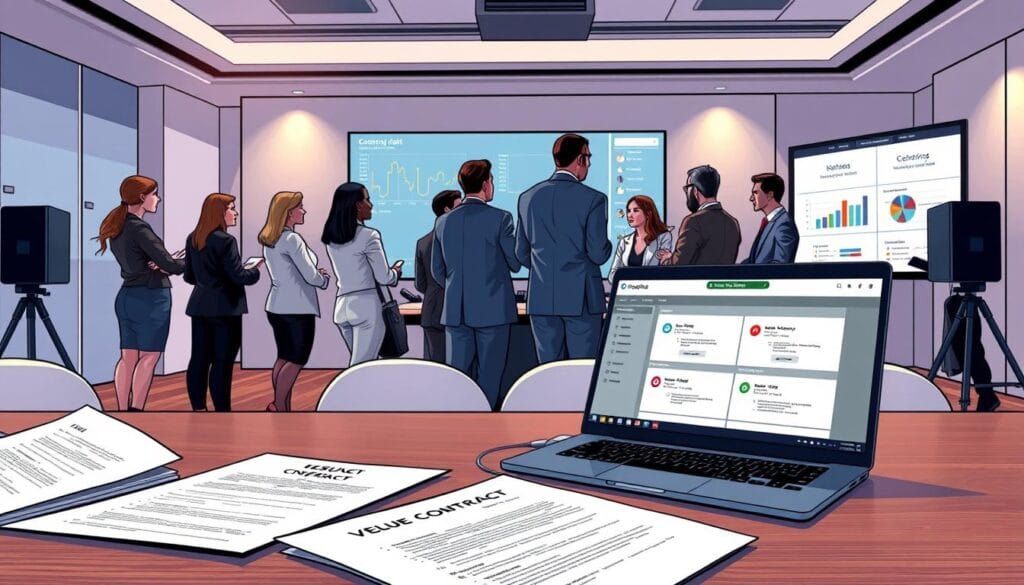
Essential technical specifications must be confirmed during contract discussions. Minimum internet bandwidth requirements typically range from 10-25 Mbps upload for HD quality transmission.
Understanding Contractual Obligations for Venues
Critical infrastructure elements include wired Ethernet access points and backup connectivity options. Network security protocols may affect equipment connectivity and require advance testing.
Intellectual property considerations are equally important. Contracts should clarify whether venues claim any ownership rights to streamed content. Recording and rebroadcast permissions need explicit documentation.
| Technical Requirement | Minimum Standard | Recommended Standard | Testing Timeline |
|---|---|---|---|
| Internet Upload Speed | 10 Mbps | 25 Mbps | 2-4 weeks pre-event |
| Power Access Points | 2 dedicated circuits | 4 dedicated circuits | During site survey |
| Load-in Time Allocation | 4 hours minimum | 6-8 hours ideal | Contract negotiation |
| Technical Rehearsal Time | 2 hours | 4 hours | Final contract review |
Hybrid technology infrastructure bridges in-person and virtual experiences effectively. Camera positioning must capture both speakers and audience reactions. Audio systems should blend room microphones with streaming feeds seamlessly.
“The most overlooked contract clause involves exclusive AV provider requirements, which can significantly impact production quality and budget.”
Logistics coordination between venue operations and production teams requires detailed scheduling. Equipment load-in and setup time allocations prevent last-minute complications. Venue staff support availability should be confirmed in writing.
We emphasize conducting thorough site surveys 2-4 weeks before your event. This verification process identifies optimal equipment positions and tests acoustic characteristics. Proper planning ensures your hybrid event meets professional standards.
Choosing the Right Streaming Platform and Tools
Platform selection represents a pivotal decision that directly impacts audience experience and operational efficiency. We categorize available solutions into four distinct types based on functionality and target use cases.
Each category serves specific organizational needs. DIY social platforms prioritize reach over customization. Specialized conference tools offer branded experiences with integrated payment systems. Webinar-focused software emphasizes interaction capabilities.
Comparing Features of Popular Streaming Services
Our analysis evaluates critical dimensions across major platform categories. Monetization capabilities range from basic donation integration to sophisticated subscription models. Customization depth determines branding control and professional presentation.
| Platform Type | Monetization Options | Customization Level | Ideal Audience Size |
|---|---|---|---|
| DIY Social Platforms | Limited/Donation-based | Basic branding | 500+ viewers |
| Conference Platforms | Full payment integration | White-label solutions | 100-5,000 viewers |
| Webinar Tools | Subscription models | Moderate customization | 50-500 participants |
| Enterprise Solutions | Custom pricing | Complete control | Unlimited scale |
Technical requirements significantly influence platform suitability. Supported encoding formats include RTMP and WebRTC standards. Simultaneous viewer capacity varies from hundreds to unlimited scale depending on pricing tier.
Integration capabilities extend platform functionality through API connections. CRM system compatibility ensures seamless attendee management. Email marketing service integrations automate communication workflows.
We provide decision frameworks matching platform selection to specific requirements. These tools consider budget constraints, technical expertise, and long-term content strategy. Proper evaluation ensures optimal resource allocation.
Optimizing Audio and Visual Quality for an Unforgable Experience
Professional production quality hinges on mastering the fundamental relationship between audio clarity and visual presentation. Research consistently shows that viewers prioritize clear sound over perfect video, making audio optimization the cornerstone of successful virtual events.
Camera, Lighting, and Sound Tips
We establish audio fidelity as the paramount technical priority. Audiences tolerate moderate video issues but rapidly abandon content with distorted or inconsistent sound. Proper microphone placement at 6-12 inches from speakers’ mouths ensures optimal clarity.
Camera positioning follows eye-level placement with rule-of-thirds framing for visual interest. Clean backgrounds eliminate distractions while maintaining professional appearance. Three-point lighting techniques create balanced illumination without harsh shadows.
For video settings, we recommend minimum 1080p resolution at 30fps. Bitrate allocation must balance quality with reliable delivery. These technical foundations create a polished viewer experience.
| Equipment Priority | Quality Impact | Recommended Upgrade | Budget Range |
|---|---|---|---|
| Audio Equipment | Highest perceived improvement | External microphones | $50-300 |
| Lighting Systems | Significant visual enhancement | Three-point softbox kits | $100-500 |
| Camera Upgrades | Moderate improvement | HD webcams or DSLRs | $200-1000 |
Enhancing Audience Perception Through Quality Equipment
Strategic equipment investments maximize quality improvements per dollar. Audio upgrades deliver the most significant gains, followed by lighting enhancements. Camera improvements primarily benefit large-screen display scenarios.
We provide comprehensive troubleshooting for common issues. Audio-video sync problems require encoder adjustments. Choppy video indicates insufficient bandwidth allocation. Proper monitoring setup prevents audio echo.
For advanced techniques in creating engaging performances, we recommend systematic testing protocols. These methods ensure consistent quality across different environments and technical configurations.
Maximizing Audience Engagement Through Interactive Features
Interactive elements transform digital scholarly gatherings from passive viewing experiences into dynamic knowledge exchanges. We establish audience engagement as the critical factor that separates a memorable event from a forgettable one. These features turn viewers into active participants.
Utilizing Live Chat, Q&A, and Polls
Real-time interaction is the cornerstone of a successful broadcast. A dedicated moderator should manage the chat, fostering a productive environment. Responding to comments validates participant input and builds community.
Effective Q&A sessions require careful management. We recommend collecting questions during registration and screening them for relevance. Allocating specific time segments for q&a ensures speakers can address key topics thoroughly.
Strategic use of polls maintains attention throughout the session. Place them during natural breaks to re-energize the audience. Sharing results in real-time makes participants feel their opinions matter.
Timing is essential for sustained engagement. Start with an icebreaker poll to set expectations. Schedule interaction points every 10-15 minutes to prevent attention from waning. This approach keeps viewers connected from start to finish.
Ensuring a Flawless Test Run for Your Live Stream
Systematic validation procedures separate professional broadcasts from amateur attempts. Comprehensive testing identifies 90% of potential problems before they reach viewers. This preventive approach saves valuable time and protects your organization’s reputation.
We recommend a structured testing timeline with multiple verification points. Initial equipment checks should occur 2-3 weeks before transmission. Full technical rehearsals follow one week prior to the event.
Final verification happens 24-48 hours before go-live. Day-of-event systems checks occur 2-4 hours before scheduled start time. This layered approach ensures complete system stability.
| Testing Phase | Timeline Before Event | Primary Focus Areas | Team Members Involved |
|---|---|---|---|
| Initial Equipment Test | 2-3 weeks | Hardware functionality, basic connectivity | Technical lead, equipment manager |
| Full Technical Rehearsal | 1 week | End-to-end workflow, team coordination | Entire production team |
| Final Verification | 24-48 hours | System integration, backup systems | Technical lead, platform specialist |
| Day-of-Event Check | 2-4 hours | Last-minute adjustments, final readiness | All team members |
Essential testing areas include network connectivity validation. We recommend achieving 2-3x the required upload bandwidth. Wired Ethernet connections provide superior stability compared to wireless options.
Audio quality checks must address microphone levels and background noise. Video validation confirms resolution, framing, and lighting consistency. Platform functionality testing ensures all interactive features operate correctly.
Full-length rehearsals replicate actual event conditions completely. This includes practicing speaker transitions and verifying graphics timing. Team communication protocols require validation during these sessions.
Technical monitoring during test streams reviews encoder statistics and platform analytics. Common issues discovered include insufficient bandwidth and audio configuration problems. Having troubleshooting protocols prepared enables quick response to any failures during the actual transmission.
Post-Event Actions: Analyzing Performance and Repurposing Content
Performance metrics and content repurposing strategies maximize the return on virtual event investments. We focus on transforming single occurrences into lasting educational resources.
Leveraging Data-Driven Insights and Benchmarks
Industry data reveals typical live attendance rates of 30-50% of registrations. Average viewing duration often reaches 45-65% of total session length.
Replay viewing typically adds 20-40% additional views within 30 days. Engagement feature participation shows 15-25% rates for polls and 5-10% for chat contributions.
Strategies for Repurposing Recorded Content
Full session recordings create valuable on-demand libraries. Edited highlight reels capture key moments for promotional use.
Speaker-specific clips and short-form social media content extend reach. Quote graphics and podcast audio extraction diversify distribution channels.
We recommend immediate backup to multiple storage locations. Metadata tagging ensures searchable archives for future reference.
Leveraging Expert Insights and Credible Sources in Live Streaming
Credible sources and professional insights elevate streaming implementations from basic functionality to strategic educational tools. We integrate authoritative guidance from industry leaders to ensure your virtual events meet professional standards.
Quotes from CMPs and Medical Education Directors
Certified Meeting Professionals emphasize practical wisdom gained from real-world implementations. Their experience informs platform selection and audience engagement strategies.
“Successful streaming requires balancing technical infrastructure with participant experience. We prioritize tools that support seamless interaction during educational sessions.”
Medical education directors highlight compliance considerations for accredited events. Their perspectives ensure streaming platforms meet ACCME documentation requirements.
Industry organizations provide essential frameworks. PCMA guidelines establish technical standards for virtual events. MPI research offers best practices for hybrid production.
- ACCME standards govern attendance verification and credit claiming
- Peer-reviewed studies validate engagement outcomes in virtual formats
- Professional associations document evolving best practices
These authoritative sources help organizers navigate complex streaming decisions. They provide benchmarks for measuring event effectiveness across different platforms.
Visualizing Success: Gantt Charts, Infographics, and Comparison Tables
Strategic visual representations of project timelines and resource allocation significantly enhance planning efficiency. We emphasize how these tools transform complex information into accessible decision-making resources for academic event organizers.
Using Budget Infographics to Measure ROI
Budget infographics provide clear visualizations of investment allocation across different event components. They help stakeholders understand cost structures and approve appropriate funding levels.
These visual tools demonstrate cost-per-attendee improvements when virtual audiences expand total reach. They compare traditional expenses against hybrid model investments effectively.
| Visualization Tool | Primary Application | Key Benefits | Implementation Complexity |
|---|---|---|---|
| Gantt Charts | Project timeline management | Team coordination, deadline tracking | Low to moderate |
| Comparison Tables | Platform and equipment evaluation | Side-by-side feature analysis | Low |
| Budget Infographics | ROI measurement and cost allocation | Stakeholder communication, budget approval | Moderate |
| Workflow Diagrams | Process visualization from planning to execution | Role clarification, quality checkpoints | High |
Comparison tables organize critical evaluation criteria for platforms and technical equipment. They enable direct comparison against specific organizational requirements.
Workflow diagrams visualize the entire production process. They clarify team roles and decision points across all phases of event execution.
Conclusion
The convergence of accessibility and technology has democratized scholarly communication, enabling organizations of all sizes to reach global audiences effectively. Our comprehensive resource provides the essential framework for successful virtual knowledge dissemination.
Frequently Asked Questions
What equipment ensures professional quality? Essential gear includes HD cameras, external microphones, stable internet, and appropriate lighting systems.
How do I select the right platform? Consider audience size, monetization needs, compliance requirements, and customization options.
What engagement methods work best? Utilize interactive features like live chat, Q&A sessions, and real-time polling throughout your session.
Can recordings be repurposed? Yes, most platforms support recording for on-demand libraries and promotional content.
Disclaimer: This guide offers general informational support. Organizations should consult legal counsel and technical specialists to ensure compliance with specific regulatory requirements.
Download our free planning templates to streamline your next virtual event. Subscribe to our newsletter for ongoing best practices. Share this resource with colleagues planning similar initiatives.
Explore our detailed equipment reviews and platform tutorials for continued learning. Access authoritative sources like ACCME guidelines and PCMA standards for deeper investigation.
FAQ
What is the most critical factor for a successful virtual event?
Audio quality is paramount. Viewers will tolerate lower video resolution, but poor audio will cause them to disengage quickly. We prioritize professional microphones and sound checks to ensure every word is clear and intelligible.
How do we ensure compliance with regulations like HIPAA during a medical stream?
We implement secure, encrypted platforms that offer password protection and access controls. All data transmission adheres to strict privacy standards. Our team verifies that chat logs and attendee information are handled with confidentiality.
What interactive features boost audience participation?
Live chat, real-time Q&A sessions, and embedded polls are highly effective. These tools transform passive viewing into an active learning experience. We also recommend using moderated chat to foster professional discussion.
Can we use a standard webcam for speaker presentations?
While a webcam can work, we advise using a dedicated DSLR or mirrorless camera for superior image quality. Proper lighting is equally important to create a professional appearance and enhance credibility for your speakers.
What is a realistic budget for a high-quality production?
Costs vary based on scale and complexity. Key investments include reliable streaming software like vMix or Wirecast, professional audio equipment, and potential speaker honorariums. We provide detailed budget infographics to help plan for a strong return on investment.
How important is a technical rehearsal before the main event?
A full test run is non-negotiable. It allows you to troubleshoot internet connectivity, audio levels, and platform features with all speakers. This process minimizes technical issues and ensures a smooth, polished performance on the day of your stream.
What should we do with the recording after the event ends?
Repurposing content maximizes your investment. The recording can be edited into shorter clips for social media, offered as an on-demand resource, or used as educational material. We help analyze viewer data to guide these post-event strategies.