How to Reduce Desk Rejection Rates in Your OJS Journal: A Practical Editorial Screening Guide
If you run an OJS-powered journal, you have almost certainly dealt with the silent drain of OJS journal desk rejection — manuscripts that consume editorial time only to be turned away before peer review even begins. Reducing your desk rejection rate is one of the fastest levers you have for improving journal efficiency, author satisfaction, and ultimately your citation impact. This guide walks through exactly why desk rejections happen, how to build a systematic pre-screening process inside OJS, and what a well-calibrated screening checklist looks like.
What Is Desk Rejection — and Why It Matters in OJS Journals
Desk rejection occurs when an editor rejects a manuscript before sending it to external reviewers. In OJS, this typically happens at the submission review stage before a reviewer is assigned. It is a legitimate and important editorial tool — but only when applied consistently and transparently.
The problem most OJS journal editors face is not that they desk-reject too many papers. The problem is they desk-reject inconsistently, after investing significant time reviewing submissions that should have been filtered earlier. A paper that gets two days of editor reading before rejection could have been declined in twenty minutes with the right checklist.
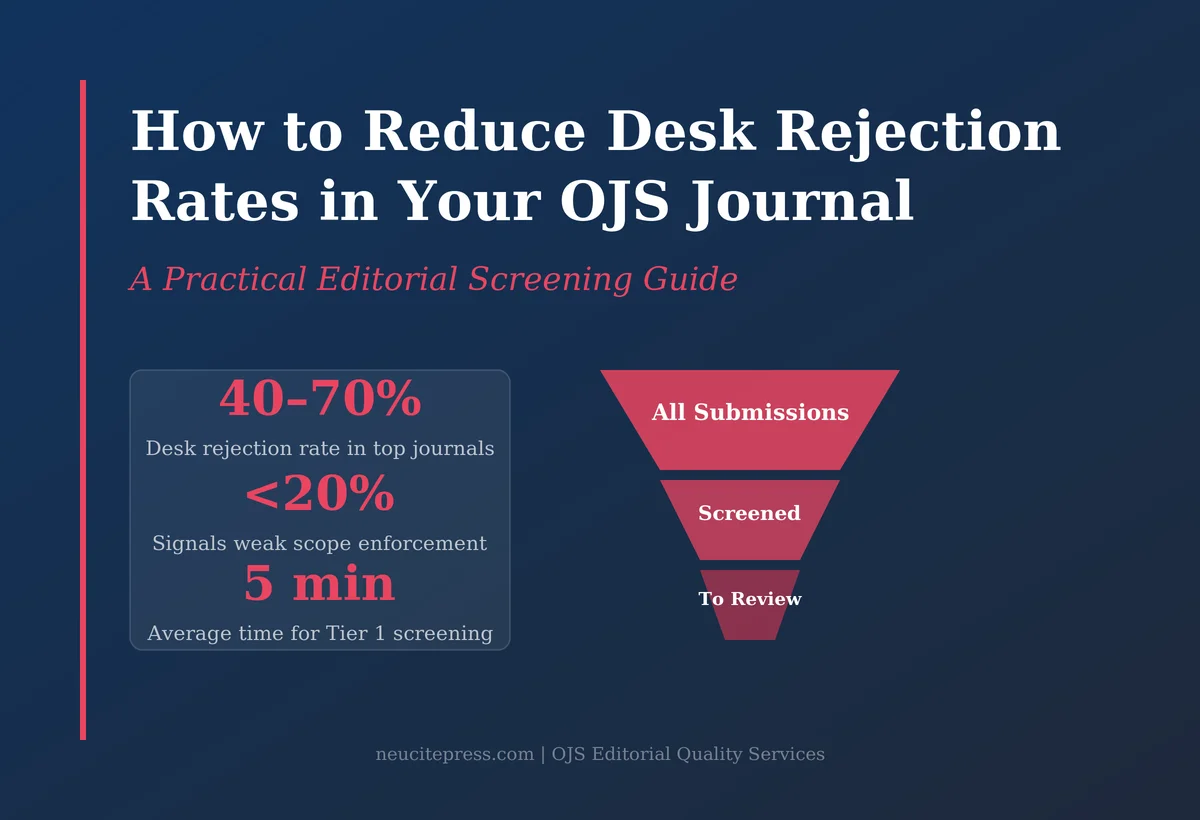
Desk rejection rates in well-run journals typically range from 40% to 70% for high-volume publications. A rate below 20% often indicates that scope and quality standards are not being enforced at the gate — which puts unfair burden on peer reviewers and inflates response times for authors whose papers genuinely fit the journal.
For journals tracked by indexing bodies such as Scopus and Web of Science, a documented, consistent editorial screening process is also a quality signal. See our guide on OJS editorial quality services for how this connects to long-term impact goals.
The 6 Most Common Reasons OJS Journals Desk-Reject Manuscripts
Before you can screen efficiently, you need to know what you are screening for. These are the six categories that account for the overwhelming majority of desk rejections across OJS-managed journals:
1. Out-of-Scope Submissions
The single most common reason. Authors either misread the journal’s scope or deliberately submit to multiple journals hoping for a fit. Your aim and scope page is only part of the solution — the OJS submission questionnaire is where this gets caught early. Adding a mandatory checkbox that asks authors to confirm scope fit (with a direct link to your aims page) filters approximately 15–20% of borderline submissions before they even land in your queue.
2. Structural Non-Compliance
Missing abstract, incorrect word count, absent keywords, wrong file format, or failure to use your journal template. These are entirely mechanical and should be caught by OJS itself. Most journals underuse the submission checklist feature in OJS, which allows you to set required declarations before a submission can be completed. Use it aggressively.
3. Ethical and Integrity Flags
No ethics statement where required, missing conflict of interest declaration, no data availability statement, absence of human subjects approval. For clinical or social science research, these are immediate desk rejection triggers. Your OJS submission form should require these fields, not merely recommend them.
4. Language and Presentation Quality Below Threshold
Manuscripts where the English is too poor for reviewers to assess the science fairly should be returned before peer review — with a clear, respectful note directing authors to language editing services. This protects your reviewers’ time and is kinder to the author than a rejection after full review. Review our copyediting checklist for academic manuscripts for baseline quality standards to reference.
5. Methodological Red Flags Visible at Abstract Level
Sample sizes that are clearly underpowered, statistical approaches that are manifestly inappropriate for the stated research design, or outcomes that are implausible given the described methods. An experienced editor can often flag these within minutes of reading the abstract and methods section.
6. Duplicate Submission or Prior Publication
Running a quick similarity check on submission titles and DOIs before full screening catches a surprising number of papers already published elsewhere. OJS integrates with iThenticate and Turnitin for plagiarism detection — but a simple Google Scholar title search catches outright duplicates in seconds.
Building Your OJS Editorial Screening Checklist
A good screening checklist turns desk rejection from a judgment call into a documented decision. It also creates consistency when multiple editors handle submissions — critical for journals with editorial boards spread across institutions.
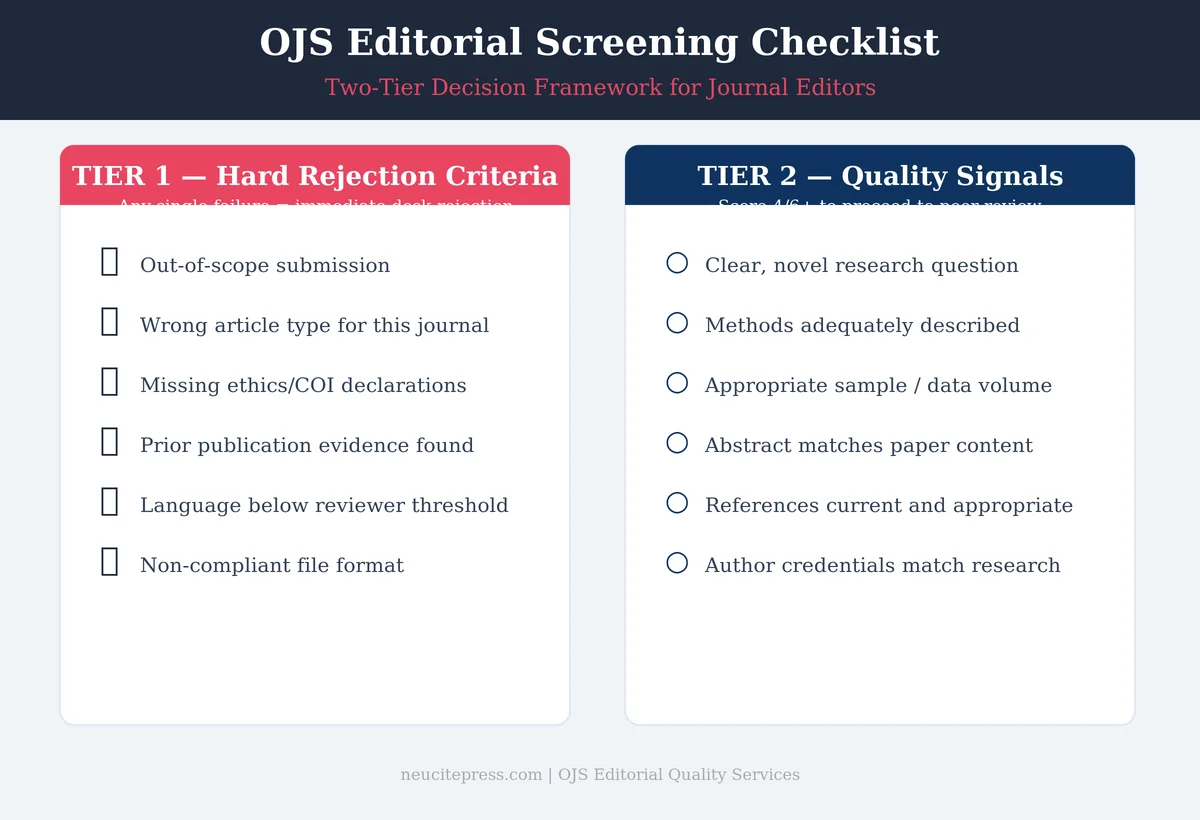
Your checklist should have two tiers:
Tier 1: Hard Rejection Criteria (Any Single Item = Reject)
- Submission is outside the journal’s stated scope (verified against aims and scope, not just author’s claim)
- Manuscript is not original research (or is original research in a journal that only accepts reviews, and vice versa)
- Required ethical declarations are absent and no explanation is provided
- Evidence of prior publication in a peer-reviewed venue (preprint servers excluded if your policy permits)
- Language quality is below the threshold for reviewer assessment
- File format is non-compliant and the author cannot be contacted for resubmission
Tier 2: Quality Signals (Weighted Assessment)
- Research question is clearly stated and is genuinely novel
- Methods are sufficiently described for a reviewer to evaluate them
- Sample size or data volume is appropriate for the claims made
- Abstract accurately reflects the paper content
- Reference list is current and appropriate for the field
- Author credentials match the technical demands of the research area
A Tier 1 failure is an automatic desk rejection. A Tier 2 score below your threshold (say, 4 out of 6) triggers editorial discretion — which may still result in rejection or may lead to a “revise before review” response.
For guidance on how these screening signals connect to what indexing bodies eventually evaluate, see our post on appealing a Scopus rejection — many of the same editorial quality markers apply.
Configuring OJS for Better Pre-Screening
OJS provides several underused features that can do much of your screening work before a submission reaches an editor:
Submission checklist: Go to Settings → Workflow → Submission. Add declarations specific to your scope, ethics, and format requirements. Authors cannot proceed without checking each item.
Metadata requirements: Make abstract, keywords, and author affiliation mandatory rather than optional. OJS allows you to set these fields as required at the submission stage.
Section policies: If your journal runs multiple article types (original research, review, commentary), set section-specific submission requirements so authors self-sort before the editor ever sees the submission.
Author guidelines integration: Link your author guidelines directly from within the OJS submission interface, not just from your journal’s home page. Authors are in the submission flow — that is when they will read them.
Review form customisation: Build a desk-review form in OJS that mirrors your Tier 1/Tier 2 checklist. This gives you a documented record of every screening decision, which is valuable if authors query rejections.
For journals managing high submission volumes, this OJS configuration work is the foundation. See also our post on journal preprint policy for how preprint rules intersect with screening decisions.
When to Use a Professional Editorial Screening Service
If your journal receives more than 50 submissions per month, your editorial board is small relative to submission volume, or you are building a new journal that needs consistent screening from day one, a professional editorial screening service fills a genuine gap.
An experienced editorial screener handles the Tier 1 and Tier 2 assessment for each submission, prepares a structured report for the handling editor, and flags borderline cases with a written rationale. This compresses the desk review stage from days to hours and ensures your editorial board focuses on decisions, not documentation.
NeuCitePress offers an OJS editorial screening service for journals at different volume levels. Basic screening starts at the per-article level and scales to batch agreements for established journals.
See also our guide on journal launch costs for how screening fits into your overall editorial budget.
Frequently Asked Questions
What is an acceptable desk rejection rate for an OJS journal?
There is no universal standard, but journals indexed in Scopus typically have desk rejection rates between 40% and 65%. A rate below 20% may indicate that scope standards are not being enforced. A rate above 80% may suggest your submission guidelines need clearer signposting to help authors self-select.
Should I provide feedback with every desk rejection?
For Tier 1 rejections (clear scope mismatch, missing ethics declaration), a brief standardised note is sufficient. For borderline quality rejections, specific feedback is valuable — it improves your reputation as an editor and reduces resubmissions of the same paper in a slightly revised form.
Can OJS automate any part of the desk review process?
OJS can automate format checking and enforce submission requirements through the checklist feature, but qualitative screening still requires editorial judgment. Newer OJS plugins and external integrations can flag potential plagiarism and similarity automatically, which removes one manual step from the process.
How do desk rejection practices affect journal indexing applications?
Indexing bodies including Scopus evaluate whether a journal’s editorial process is rigorous and consistent. A documented desk rejection process — particularly one that results in clear, appropriate rejection letters — is a positive signal. See our guide on choosing Scopus subject categories for related indexing preparation steps.
Does AI change how desk rejection should work?
AI tools are increasingly being used to flag potential issues at the submission stage — from similarity detection to methodology screening. However, the decision to desk-reject should remain with a human editor. For a broader view of AI’s role in the editorial process, see our piece on AI in scholarly publishing.
References
- Björk, B-C., & Solomon, D. (2013). The publishing delay in scholarly peer-reviewed journals. Journal of Informetrics, 7(4), 914–923. https://doi.org/10.1016/j.joi.2013.09.001
- Ware, M., & Mabe, M. (2015). The STM Report: An Overview of Scientific and Scholarly Journal Publishing (4th ed.). International Association of Scientific, Technical and Medical Publishers.
- Huisman, J., & Smits, J. (2017). Duration and quality of the peer review process: The author’s perspective. Scientometrics, 113(1), 633–650. https://doi.org/10.1007/s11192-017-2310-5